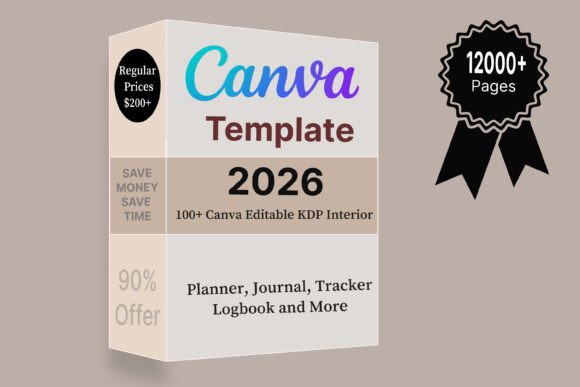
The boring half of selling downloads is the half that generates every complaint you will ever get. Which file format you send. How the buyer receives it. What happens when somebody asks for their money back for a file they already have, and keeps it either way. None of that is in the pretty half of the job, and none of it shows up in a listing photo.
None of it is difficult. It is just never written down anywhere a new seller looks, so most people learn it from their first angry message, and by then the review is already public.
Most guides on how to sell digital downloads on etsy stop at the listing form. This page is the version I wish somebody had handed me: the formats, the delivery limits, the four things that belong in every archive, and the one rule that decides whether you are allowed to sell the file at all.
Quick answer: Send a flattened PDF or a print-ready image for anything meant to be printed, and a link only when the buyer has to edit the product. Instant delivery caps you at five files of 20 MB each, so plan the archive around that.
Put a one-page instruction sheet in every download. Refund rules belong to the marketplace and change, so read them in your own shop settings. Your side of it is making refunds unnecessary by showing exactly what arrives.
One thing decides all of this before the file format does: whether you are allowed to sell what is inside the archive. Free graphics are usually personal use only. Files with resale rights written into the licence are what let your instruction page say what the buyer may do with them.
Why the Boring Half Decides Everything
Sorted by what the person is actually complaining about, seller-community post titles fall into a clear order.
The biggest group was account and copyright trouble: 160 posts. Then live shops with no sales: 111. Then tags and search wording: 98.
Delivery problems do not sit beside those numbers. They sit inside them. A file that confuses a buyer produces a message, then a review, then a refund request, and a shop with a run of those has a bigger problem than any listing photo.
A physical seller finds out the parcel arrived. A digital seller finds out only when something has gone wrong. That asymmetry is why the file and the instructions deserve as much attention as the design does.
A digital shop does not fail on design. It fails on the twenty minutes nobody spends on the inside of the archive: the file names, the instruction page and the one line about what the buyer is allowed to do with it.
An etsy shop digital downloads buyer never holds anything, so the archive is the product. So you are not being fussy when you spend an evening on the inside of the archive. You are buying silence: no messages, no one-star review about a font that did not load.
And the cheapest way to skip most of that trouble is to start from material that was built to be resold. Print-ready page sets arrive already sized and already licensed, which removes the two things that go wrong most often.
What Sells, by How Often Sellers Talk About It
Here are the types of digital downloads to sell on etsy, counted in the same sample by product type. Not my taste, not a trend piece, just how often each category came up in a seller’s own words.
| Download type | Mentions | What it means for delivery |
|---|---|---|
| Stickers | 46 | Cut files plus a print-ready sheet. Two formats, one archive. |
| Printable wall art | 38 | Several ratios. Say which ones in the listing. |
| Editable templates | 32 | A link, not a file. The hardest one to deliver well. |
| Printables | 28 | One flattened PDF. The simplest thing you can sell. |
| Planner inserts | 14 | Sized for real binders, or the questions never stop. |
| Spreadsheets | 14 | Copy-first delivery, same trap as templates. |
| Clipart | 11 | You sell to other sellers, so the licence text is the product. |
| Digital journals | 5 | Large files. Watch the size cap. |
| Invitations | 4 | Deadline buyers. Slow replies cost you the sale. |
The top three carry the heaviest competition, and the same categories off the marketplace behave differently again. The two in the middle, planner inserts and spreadsheets, get bought for what they do rather than how they look, which makes them easier to describe and easier to deliver.
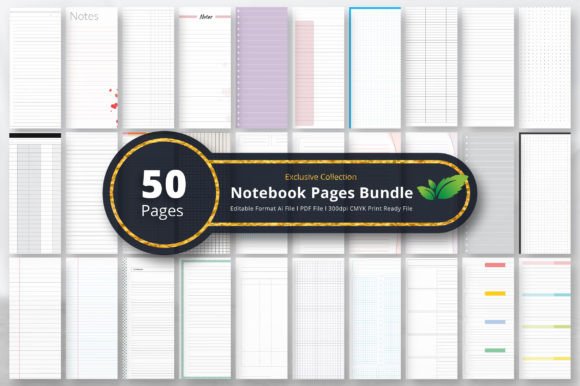
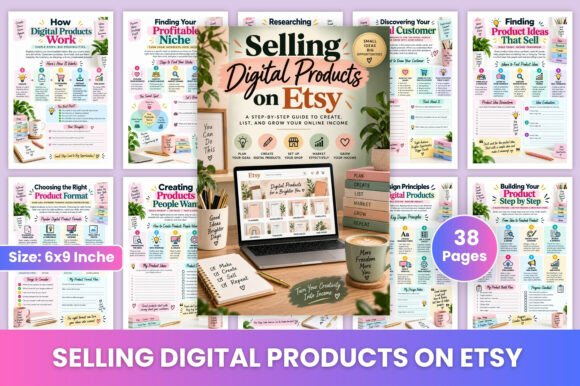
The easy digital downloads to sell on etsy are the ones with nothing to explain, so start where delivery is simplest: pages that are already sized for print. A notebook pages bundle is one flattened file per listing and almost nothing to explain.
Choosing the File Format
Pick the format from what the buyer will do with it, not from what you designed it in.
Print at home
A PDF with everything flattened, at common paper sizes, fonts embedded so it looks the same on a machine that does not have them.
Nothing the buyer has to assemble. If your file needs a second step, that step is where your reviews get lost.
Print at a shop
High-resolution images, in the sizes people actually order, saved without transparency.
Name the ratios in the listing so nobody buys the wrong one. Most wall art complaints are a ratio problem wearing a quality complaint’s clothes.
Use on a screen
Standard image files at screen resolution, plus a note on where they fit.
This is the group that most often needs a second version rather than a bigger one: a phone size and a desktop size beat one enormous file.
Edit before use
Only here does a link belong, and only when the buyer genuinely has to change the text.
If you can do the personalising yourself and send a finished file, do that instead. You will trade a little time for most of your support load.
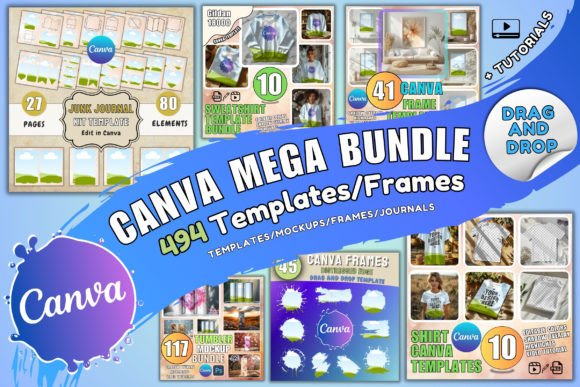
Whichever of the four you pick, the file has to start somewhere. Template sets that open in Canva export cleanly to all four: flattened PDF, print-resolution image, screen image, or a copy link for the buyer.
What Goes Inside Every Download
Four things. Not five. This is the part that separates a shop from a folder. It is the same discipline the printables walkthrough goes through page by page.
- The product itself, named in plain words rather than as an export string.
- A one-page instruction sheet covering how to open it, how to print it, and what to do first.
- A terms line saying what the buyer may do with the file, in one sentence they will actually read.
- A way to reach you that does not require leaving a public review to get help.
Nothing else. Bonus files inflate the archive and dilute the thing they paid for.
That terms line is the part people fudge. You can only write it honestly if you know the licence on your own raw material, which is the whole reason I buy files with resale rights instead of hunting free ones.
These are the three I keep coming back to when I want the inside of a download to look finished rather than thrown together:


The Delivery Limits Nobody Mentions
Instant delivery is not unlimited, and the numbers shape your product more than any design choice.
- Five files per listing. Not five folders. Five files.
- 20 MB each. A print-resolution journal hits that fast.
- No folder structure. The buyer sees a flat list, in whatever order your names sort into.
So three habits follow, and they are worth building before your first listing rather than after your first complaint:
- Number your file names.
01-instructions,02-a4,03-us-letter. The flat list now reads as an order of operations. - Zip by purpose, not by everything. One archive per paper size beats one archive holding your whole catalogue.
- Compress before you upload, not after somebody complains. A 60 MB PDF is usually 8 MB with the images downsampled, and no buyer can tell.
| What you are selling | Files in the archive | Usual size |
|---|---|---|
| One printable page | instructions + A4 + US Letter | under 5 MB |
| Wall art set | instructions + four ratios | 10–18 MB |
| Sticker sheet | instructions + cut file + print sheet | under 10 MB |
| Digital journal | instructions + the journal | over the cap, split it |
If you are over the cap on a big set, split it into two listings and say plainly in each what it contains. Two honest listings sell better than one that half-delivers.
Editable Templates Are a Different Product
Everything above assumes you are sending a finished file. A template is not that. You are sending a starting point, and the buyer has to do the last step themselves.
That last step is where it breaks. The buyer opens your link, types into your original, and either cannot save it or is quietly editing the file every future customer will get.
Write the steps out in your own words, in your own instruction sheet, even though the platform shows them too:
- Make your own copy first. Say it in bold, at the top, before anything else.
- Check the top of the screen for the copy’s name: that is how you know you are not in the original.
- Edit the copy. Text, colours, anything the template allows.
- Download as PDF for print, PNG for screen. Name the export format explicitly.
Two other things save you real time here. Keep the fonts inside the template rather than assuming the buyer has them. And lock whatever must not move, so an accidental drag does not turn into a support message.
A template only works as a product if you are allowed to hand over an editable source at all. Sets sold as editable templates come with that permission; most free designs do not.
Refunds, Honestly
Digital goods sit awkwardly in every marketplace’s rules, because the buyer keeps the product either way.
Policies differ by platform and get revised, so the only reliable source is your own shop settings on the day you look. Do not take a blog’s word for it, including this one.
What does not change is your side of it:
- Show what arrives. A preview listing the exact files and formats removes most disputes before they happen.
- Say what it is not. Not a physical item, not editable, not for commercial use, whichever applies to you.
- Answer quickly. Most refund requests are frustration with opening the file, not regret about buying it.
- Fix the file, not the message. Two people confused by the same thing means your instruction sheet is wrong.
Keep a note of every question you get in your first month. Mine turned into the instruction sheet I now reuse on every listing, and the questions mostly stopped.
One category of dispute you cannot answer your way out of: a buyer who says the design is not yours to sell. That one is settled by paperwork, which is why a licence you can quote matters more than any refund wording.
Publishing the Listing, Step by Step
The mechanics are the short part. You will spend longer naming your files than doing any of this.
- Add a listing and set the item type to digital. Doing it after the fact is fiddlier than doing it now.
- Choose instant download or made-to-order. Instant for a finished file. Made-to-order only if you personalise by hand.
- Upload the files the buyer receives. Check the flat list reads in the order you intended.
- Write the title around what the buyer types, not around your design language.
- Put the file list in the description, high up, in plain words: formats, sizes, page count.
- Buy your own listing once. It costs you the fee and shows you exactly what a stranger sees.
Step six is the one everybody skips. It is also the only way to find out that your archive downloads with a name like final_v3_FIXED.
Once the first listing is live, the second one is mostly copy and paste. That is where a bundle pays for itself: one licensed set turns into a week of listings that all share your instruction page.
What Your First Files Can Legally Be

Every rule above assumes the content inside the archive is yours to sell. That is the part that ends shops.
Remember the biggest group in the sample: 160 posts about account and copyright trouble, the same wall that ends most side hustles built on somebody else’s files. More than shops with no sales. More than search wording.
So before you build a line, check three things about your raw material:
- Does the licence cover resale of the finished product, or only personal use?
- Are you allowed to hand over an editable source if you are selling templates?
- Is there enough of it to make twenty listings, or will you be licence-shopping again next week?
That is why I buy from one place with a clear commercial licence rather than assembling free downloads from five. A bundle sold with resale rights answers all three questions at once, and the answer is written down if anybody ever asks.
Digital Downloads FAQ

How do you sell digital downloads on Etsy?
Add a listing, set the item type to digital, choose instant download, upload the files the buyer receives, and describe the file list in plain words. The mechanics take ten minutes. Preparing the archive properly is the part worth your evening.
What file format should I sell?
A flattened PDF for home printing, high-resolution images for print shops, standard images for screen use, and a link only when the buyer must edit the product themselves.
| Buyer does this | You send | Questions it brings |
|---|---|---|
| Prints at home | flattened PDF, common paper sizes | almost none |
| Prints at a shop | high-resolution image per ratio | ratio mix-ups |
| Uses it on a screen | two screen sizes, not one big file | where it fits |
| Edits the text | a copy link, everything else locked | the most of any type |
The first row is where I would start, and it is the row with the shortest road to a finished archive. A licensed page bundle is already sized and already cleared for resale, so the only work left is the preview and the instruction sheet.
How many files can an instant download have?
Five, at 20 MB each. If your set is bigger, split it across two listings and say clearly in each what it contains.
Should I include instructions?
Always, as a single page. Most refund requests come from a buyer who cannot open or use the file, not from a buyer who dislikes it.
Can buyers get a refund on a digital download?
Marketplace policy decides that, and it gets revised, so check the current wording in your own shop settings. What you control is how few people need to ask.
Why do template buyers keep messaging me?
Usually because they did not end up with their own copy and are looking at yours. Write the copy-first step out in your own words at the top of the instruction sheet.
Do you need a licence to sell digital downloads?
You need the right to sell whatever is inside the file. If you drew it, you have it. If you downloaded it, the licence decides, and personal-use graphics cannot be passed to a buyer at all.
What are the best digital downloads to sell on Etsy?
By seller conversation, the four strongest are stickers, printable wall art, editable templates and printables. Best for you is the one you can restock: a category where your second listing takes a third of the time your first one did.
What are the best digital files to sell on Etsy if I want the easiest delivery?
Flattened PDFs. One file, no ratios to explain, no software the buyer needs. Wall art and templates sell well too, but both bring questions a printable never does.
Where do you buy or get digital downloads to sell on Etsy?
You do not resell somebody’s finished listing. That is the fastest way to lose an account. You buy raw material with a commercial licence and make the product yourself. That is what a resale-rights bundle is for.
How do you start selling digital downloads on Etsy, and what is the best way in?
Make one flattened PDF, write the instruction page, publish it, then buy your own listing. The best way in is the smallest one: a single product you can explain in a sentence beats a launch of twenty.
How do you create digital downloads and digital files to sell on Etsy?
Design at print resolution, flatten everything, embed the fonts, export to PDF for paper and PNG for screens. Then name the files in the order the buyer should open them.
Do I need special software to make the files?
No. A browser design tool exports everything you need, and the files themselves can be bought ready to edit. Editable template sets save you the drawing and leave you the part that actually sells: the wording and the preview.
How do you sell digital downloads on Etsy using Canva, or from Canva?
Two different products. Export a finished PDF from Canva and sell that as an instant download, or share a copy link and sell the design as a template. Only the second one lets the buyer change the text, and only the second one needs the copy-first instructions above.
How do you sell editable or customizable digital downloads on Etsy?
Sell a template link and lock everything that must not move. If the buyer only needs a name changed, consider doing it yourself as a made-to-order file instead: fewer messages, higher price.
How do you sell custom digital downloads on Etsy?
Set the listing to made-to-order, ask for the details in a personalisation field, and state your turnaround plainly. Custom work is not passive, so price it as work.
How do you sell digital photo downloads on Etsy?
Same rules as wall art: high resolution, named ratios, no transparency. Say whether the buyer may print it more than once, because photo buyers ask that more than any other group.
Can you make money selling digital downloads, and how well do they sell?
Some shops do well and most are small. In the sample, the median seller who named a figure reported ten sales, and only 2.8 percent named any source of visitors outside the marketplace. The ceiling is traffic, not the files. What you can control is how fast the next listing goes up, and starting from material you already hold the resale rights to is the difference between one listing a month and one a week.
Is it easy to sell digital downloads on Etsy? Reddit and YouTube disagree.
They disagree because they are describing different stages. Making and delivering a file is easy and the videos are right about that. Getting seen is hard, and the forum threads are right about that. Plan for the second half.
How do you sell digital downloads on Etsy from Canada or outside the US?
The listing mechanics are identical. What changes is your currency, your tax handling and your payout account, all set once in shop settings. Digital goods have no postage, so location barely touches the product itself.
Which digital downloads are most common?
By how often sellers discuss them: stickers 46, wall art 38, templates 32, printables 28. Common also means crowded, which is why the quieter categories are worth a look. The full counted list has the rest.
How much can you make selling digital downloads?
Nobody can answer that for your shop, and the sample explains why: the median seller who named a figure reported ten sales. Treat the first month as measurement, not income. The passive income breakdown is honest about the timeline.
Start With One File This Week
You do not need a catalogue. You need one flattened PDF, one instruction page, one honest preview and a file list a stranger can read.
Make that today. Buy your own listing tomorrow. Fix whatever looked wrong, then make the second one, and it will take you a third of the time.
If the raw material is what is stopping you, a print-ready page bundle gets you to a finished archive without drawing anything. What to sell is in what buyers actually search for, how to build it is in the build walkthrough, and the shop around the listings is in name, banner and listing photo.