Every passive income list skips the same part. Not the ideas. The entry cost. What you have to put in before anything comes out, counted in the currency you actually have: hours, one skill, and a stretch of quiet after launch where nothing happens and you keep going anyway.
I write about digital files, so that is the corner of this I can speak to honestly. Dividend funds and rental property are somebody else’s article. This one is about the kind of passive income you build on a laptop in the evenings, and what it really costs to get the first one running.
Quick answer: Passive income from digital files has three entry costs. One tool you can already use or will learn properly. Roughly a working day of setup per product before it exists at all. And a quiet stretch after launch where the honest expectation is single-digit sales.
Skip any list that leaves the third one out. That is the cost that makes people quit, and it is the one nobody prices.
Why Most Passive Income Lists Skip the Entry Cost
Read four of the big guides on this keyword and you notice the same shape. Every idea comes with a number, and every number is money. Yield. Capital required. What a fund returns in a year.
Not one of them tells you how many evenings it takes.
The other thing they skip is permission. Free assets almost always mean personal use, so a bundle with a commercial licence beats a hundred free downloads.
Money is easy to write about because it is the same for everyone. Hours are not. Hours depend on what you can already do, and that makes the honest answer messy.
So here is the messy version. If you can already use a design tool, your first file is a weekend. If you cannot, add two weeks of learning the tool before the weekend starts. Everything after that is the same for both of you.
The licence question gets its own section further down, because it is the one that can undo everything else on this page.
What Beginners Actually Sound Like
In seller communities, about one title in fifty is some version of “no sales”. Four of them, word for word:
- “23 visits, three listings, but no sales yet”
- “Getting favorites but no sales”
- “Zero sales on my digital spreadsheet products, what am I doing wrong?”
- “Looking for a critique of my art shop with no sales after a year”
Read them together and the pattern is not that these people picked bad ideas.
It is that nobody told them what the first months look like. So a normal quiet start reads as proof the whole thing is broken.
The first post has three listings. The last one has a year. Both are described in the same language of failure, and only one of them is a real signal. Knowing which is which is the actual beginner skill.
I keep coming back to that gap between the two. Three listings is not an experiment. It is a coin toss. A year with the same shop and no change in approach is a different thing entirely, and it needs a different answer.
| What the post says | How long they had been at it | Is it a signal? |
|---|---|---|
| “23 visits, three listings, no sales” | Weeks | No: too little of everything |
| “Favorites but no sales” | Varies | Yes: the offer, not the product |
| “Zero sales on my spreadsheets” | Months | Maybe: check the category first |
| “No sales after a year” | A year | Yes: change direction |
If you want the version of this sorted by how much time each option eats per week, I wrote that separately in side hustle ideas. What you are reading here is the entry cost, not the weekly one.
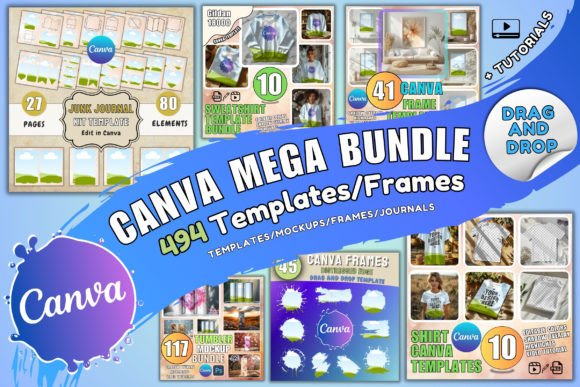
And if you are still at the stage of picking a direction, the file types themselves are laid out in digital products to sell, with the ones that get bought marked against the ones that get made and ignored. You can also start from a ready starter bundle when a finished file in front of you helps before you make your own.
The Three Entry Costs, Named
1. One tool, learned properly
Not five. In the same sample, design software mentions clustered hard.
| Tool named | Mentions | What that tells you |
|---|---|---|
| Generative tools | 63 | Now the default first stop for beginners |
| Canva | 38 | The tool most finished files are actually built in |
| Photoshop | 12 | Used by people who already had it |
| Procreate | 9 | Drawing-first sellers only |
| Illustrator | 6 | Rare outside professional backgrounds |
The distribution is the advice. Most people making files are making them in one accessible tool, and depth in it beats a shelf of half-learned ones.
My own rule is simple. Pick the tool that can open the editable source files you buy, because that is what turns a purchase into a product line instead of a one-off.
2. About a working day per product, first time
Making the file is rarely the long part.
The long part is everything around it. The preview image that has to explain the product without you standing there. The description that answers the question nobody has asked yet. The delivery test where you buy your own thing and see what actually arrives in the inbox.
Budget eight hours for product one. Product two takes four. By product five you are at ninety minutes, because the template, the preview layout and the description skeleton all exist already.
3. A quiet stretch you have decided to survive
The sellers who named their own figures reported a median of 36 views and 10 sales.
That is the middle of the distribution, not the bottom. If you plan for that and get it, nothing has gone wrong.
Ideas Sorted by What You Already Have
Every list I read sorts by how much money the idea makes. That is backwards for a beginner, because the idea you can finish beats the idea that pays more and never ships.
If you can already use a design tool
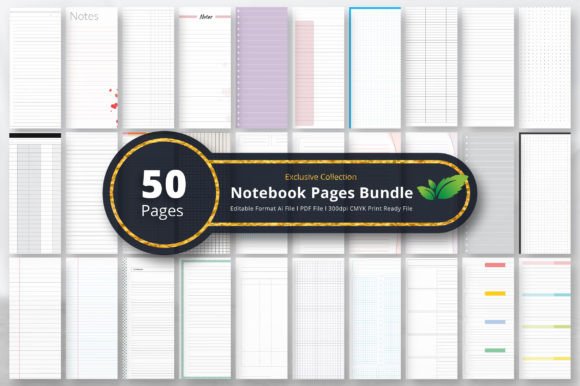
- Printable pages. The lowest support burden of any file type, because the buyer prints and is done.
- Wall art files. Sold on the image alone, which suits anyone stronger at making things look right than at explaining them.
- Sticker sheets. The most-named category in the sample, and the one with the most competition attached.
If you are organised rather than artistic
- Spreadsheet trackers. Sold on the specific thing they track. The design barely matters, which is the point.
- Planner inserts. Narrow beats broad. A planner for one situation outsells a planner for everyone.
- Checklists and workbooks for a process you have personally been through and can lay out in order.
If you have an existing skill to document
- Editable templates in the tool you know best. Highest support load of the three groups, because the buyer has to end up with their own copy and that is where it breaks.
- Short guides on a thing you can already do, aimed at the person one step behind you.
If what you already have is time but not drawing skill, these three are where the first file comes from:


Whichever group you land in, the listing itself works the same way. That part is written out step by step in how to sell printables on Etsy.
The Hours Nobody Puts in the List
Here is the table I wish somebody had handed me. It is the first-time cost, not the fifth-time cost, and it assumes you already know the tool.
| File type | Making it | Everything around it | Support after |
|---|---|---|---|
| Printable page set | 2–3 hours | 3 hours | Almost none |
| Wall art file | 1–2 hours | 3 hours | Size questions only |
| Spreadsheet tracker | 4–6 hours | 3 hours | Low, mostly formulas |
| Planner insert set | 5–8 hours | 4 hours | Low |
| Editable template | 3–5 hours | 5 hours | The highest of the group |
| Short guide | 6–10 hours | 3 hours | Almost none |
Look at the second column. It barely moves. Whatever you make, the preview, the description and the delivery test cost about the same three to five hours, and that is the part beginners forget to schedule.
The way to shrink the first column is not to work faster. It is to start from something finished: a template pack you are licensed to sell from turns “make a product” into “change a product”, and that is a different size of job.
What You Are Allowed to Sell
This is the section the free lists never write, and it is the one that quietly decides whether any of this works.
A free font, a free clipart pack, a free Canva element. All of them are usually personal use only. You can print it for your own wall. You cannot list the result and take money for it.
Nobody stops you at the door. What happens instead is a takedown months later, after the listing finally started selling, which is the worst possible moment to find out.
So the rule I follow is boring and short. Before a file goes into a product, I can name where it came from and what the licence says. If I cannot do both, it does not go in.
Where the Word “Passive” Stops Being True
The making is one-off. The finding is not.
Across those same 5,900 posts, an outside traffic source was named in only 2.8 percent, and the ones named were social platforms: Instagram 71, Pinterest 51, TikTok 41. An email list appeared zero times.
So the honest description is that the product is passive and the audience is not. Anyone selling you the opposite is selling the part that does not exist.
Budget the hours for being found, or accept that the marketplace search box is the only thing working on your behalf. Both are valid choices. Pretending you made the first one while doing the second is what turns into a dead shop.
Which channel you pick matters less than whether you can stand doing it every week. The wider version of that question, including the options that have nothing to do with files, sits in ways to make money online. If you would rather your one channel be a marketplace you are already inside, a pin template pack cuts the weekly posting job down to filling in text.
Numbers That Look Like Failure and Are Not
This is the one I wish I had pinned above my desk in the first month.
| What you see | What it usually means | What to do |
|---|---|---|
| Views, no favourites | The thumbnail is not landing | Redo the preview image, nothing else |
| Favourites, no sales | Appeal is there, the offer is not | Rewrite the description and check what is included |
| A few sales, then silence | Normal, with three listings | Add listings, do not change direction |
| Nothing at all, one listing | Not enough data to mean anything | Make two more of the same type |
| Nothing at all, a year in | A real signal | Change the category, not the colours |
The median seller in that sample had 36 views and 10 sales. Not zero, not hundreds. If your numbers are in that range, you do not have a problem. You have a beginning.
The fastest way to get past the “not enough listings to tell” row is volume, and volume is why people work from large licensed bundles instead of drawing every element from scratch.
A First Ninety Days That Produces an Answer
- Pick one product type from the group that matches what you already have.
- Make three of them, not one. One product cannot tell you whether the problem is the product or the category.
- Buy your own file before telling anyone it exists. What arrives is what the buyer judges you on.
- Give it one traffic channel, chosen for whether you can stand doing it weekly.
- Write down four numbers monthly: views, visits, saves, sales. Doing this puts you ahead of almost everyone posting about it.
- Decide the review date now, in writing. Without it, a slow start and a dead end look identical for years.
Ninety days is not arbitrary. It is roughly how long a marketplace takes to work out where your listing belongs, and anything you judge before that is judging the wrong thing.
Step two is where most people stall, because three products sounds like three times the work. It is not, if the three share a common editable base. The full build order for that is in how to create digital products to sell.
If You Want This on a Marketplace Instead
Everything above works whether you sell from your own site or from a marketplace. But the entry cost is not the same, and the difference is worth naming.
Your own site means no listing fee and no competitor two rows down. It also means nobody arrives unless you bring them, so the traffic hours from the section above double.
A marketplace means the search box works for you, at the price of sitting in a grid with everyone else. For a first product that trade is usually worth it, because it gives you the one thing you do not have yet: evidence that anybody wants the thing.
The marketplace version, with what actually moves there, is in digital products to sell on Etsy and in digital downloads to sell on Etsy. The off-marketplace version is digital products to sell online. Either way the file is the same file, and a print-ready licensed bundle works for both.

Passive Income FAQ
| If you are asking | Short answer |
|---|---|
| What is the easiest way to make passive income? | Printable pages, with nothing to buy and nothing to support |
| How many passive income streams are there? | Seven file types worth a beginner’s time; start with one |
| What are good passive income ideas with low investment? | Anything built in a free design tool from licensed assets |
| How do I create multiple passive income streams? | One type first, three files inside it, then widen |
| What are passive income opportunities using AI? | Drafting and variations, not the finished product |
What are some passive income ideas for beginners?
On the digital files side: printable pages, wall art files, sticker sheets, spreadsheet trackers, planner inserts, editable templates and short guides. Sorted by what you already have rather than by what pays most, because the one you can finish is the one that earns.
How much does it cost to start passive income with digital products?
The real entry costs are a tool you can use, roughly a working day of setup per product, and a quiet stretch after launch that you have planned for. Free tiers of design tools cover the making side for most beginners, so the spending that matters is on assets you are allowed to sell from.
What is the easiest passive income stream to start?
Printable pages. No software to buy, no delivery mechanism to build, and almost no support afterwards because the buyer prints the file and is finished with you.
How long does it take to build passive income?
Longer than most lists imply. Sellers who named their own figures reported a median of 36 views and 10 sales, so early numbers are small by default and small is not the same as failing. Ninety days is the first point at which the data means anything.
Is passive income actually passive?
The product is. The audience is not. Only 2.8 percent of sellers in the sample named any outside traffic source, which is the part that keeps needing your hours after the file is finished.
How many passive income streams should I have?
One, until it works. Several products inside one type, not several types at once. Three files in a category tell you something about the category. One file in three categories tells you nothing about any of them.
What if I get favourites but no sales?
That was one of the most common complaints in the whole set. A favourite is free and a purchase is not, so saves measure appeal and only sales measure the offer. Look at the preview image and the description before you change the product.
Which tool should a beginner learn?
One of them, thoroughly. In the sample the mentions concentrated on generative tools at 63 and Canva at 38, well ahead of the professional suites, which suggests accessible tools are where most beginner files are made.
Can I sell things I make from free templates?
Usually not. Free almost always means personal use, and selling the result is the mistake that surfaces as a takedown months later. Check the licence line before you build, and prefer sources where commercial use is included by default.
What are good passive income ideas with low investment?
The whole digital files group qualifies, because the tools have free tiers and there is no stock to buy. The only spend that matters is on assets you are licensed to sell from, and that is a subscription rather than an inventory bill.
How do I create multiple passive income streams?
Sequentially, not at once. Get one file type producing sales, keep making files inside it until the pattern is clear, then add a second type that reuses the same audience. Starting three at once means three half-finished things and no data on any of them.
What are passive income opportunities using AI?
Drafting and variations, mostly. Generative tools were the most-mentioned software in the sample at 63 mentions, but the sellers using them were using them to speed up the middle of the job, not to skip it. The preview image, the description and the delivery test are still yours.
What is the easiest way to make passive income from files?
Printable pages, again. It is the only category on the list where the buyer prints the file and never needs you afterwards, which means the support cost that eats other people’s evenings never arrives. A printable page bundle is the shortest route from nothing to a listing.
How many passive income streams are there?
On the digital files side, seven are worth a beginner’s time: printable pages, wall art, sticker sheets, spreadsheet trackers, planner inserts, editable templates and short guides. Everything else in the big lists needs capital rather than hours.
Can I build passive income while working full time?
That is the normal case, not the exception. The build is a weekend per product and the upkeep is an hour or two a week once the listing exists. The part that does not fit around a job is the traffic channel, which is why picking one you can sustain matters more than picking the best one.
Start With the One You Already Have
If you take one thing from this: the entry cost is real, it is mostly hours, and it is survivable once you know its shape.
Pick the group that matches what you can already do. Make three files, not one. Test the delivery yourself. Give it ninety days and write the numbers down.
And build from something you are allowed to sell, because the permission question is the only one on this page that can undo all the rest of it. Start with a commercial-use bundle and the licence stops being a thing you have to think about.
Still choosing a direction? Etsy shop ideas is the list of shops worth testing, written the same way as this one.