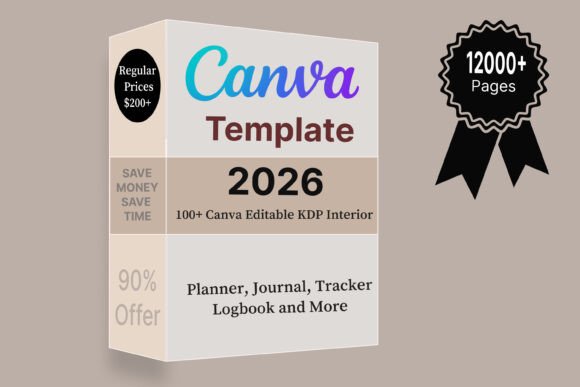
Budget planner templates sell all year because people think about money every payday, not only in January. These 13 ideas cover monthly sheets, paycheck budgets, family files and printable pages, and each one is small enough to build and list in a few evenings.
I sorted the ideas by the buyer and the file type, not by taste. The table shows who pays for each template, which platform it lives on and how it usually goes wrong, so you can choose in a minute. If your shop had four views today, start with one planner and one clear thumbnail. For wider ideas, see digital products that sell well on Etsy.
Quick answer:
- Fastest start: a one-tab sheet for Excel and Google Sheets (ideas 5 and 6, shown in this budget planner sheet), because the buyer only types in transactions.
- Best second step: a paycheck budget (ideas 3 and 8) for people paid every two weeks, since that buyer cannot use a plain monthly sheet.
A budget planner is ready to list when you can say who gets paid, how often, and which app opens the file.
Buyers of money templates want calm and clear numbers, so start from one habit, such as paying bills on time or saving a little each payday. If you also want other formats, read printables to sell on Etsy or look at digital planner ideas for app-based pages.
What is a budget planner template?
A budget planner template is a ready-made file, a spreadsheet, a Canva binder or a printable page set, where a buyer records income, bills, savings and debt in one place. You build it once, export it, upload it, and every sale after that needs no stock and no shipping. It differs from a general planner because the buyer wants totals and warnings, so formulas, category lists and the pay schedule matter more than decoration. Looking at the digital products people buy online helps you choose a first format.
Pick Your Budget Planner in One Table: Need X for Y, Take Z
Find your buyer in the third column, then jump to the numbered idea.
| Preview | Idea | Best for | Platform / Effort | Avoid if |
|---|---|---|---|---|
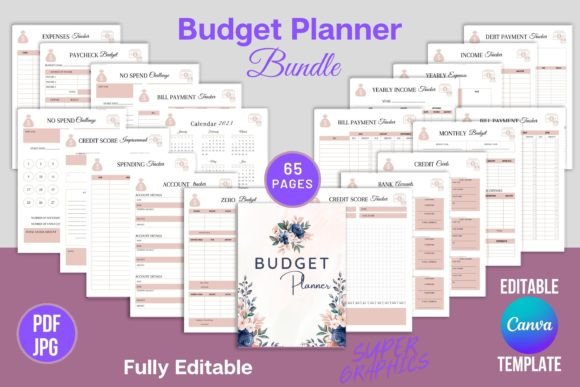 |
1. All-in-One Canva Budget Bundle | Families | Canva · 12 hours | Pages are too many to find |
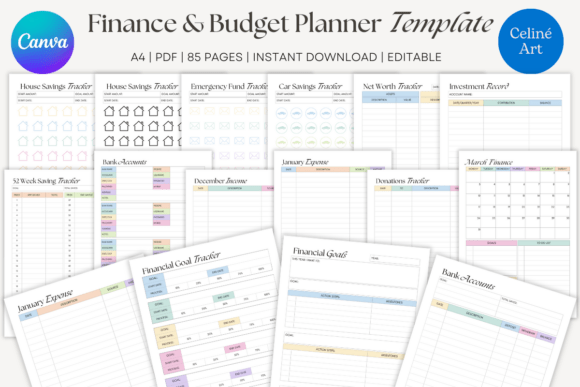 |
2. Canva Finance Binder | Debt payers | Canva · 8 hours | There is no start-here page |
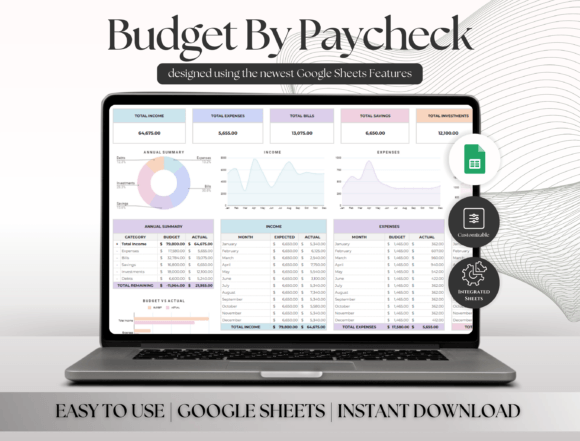 |
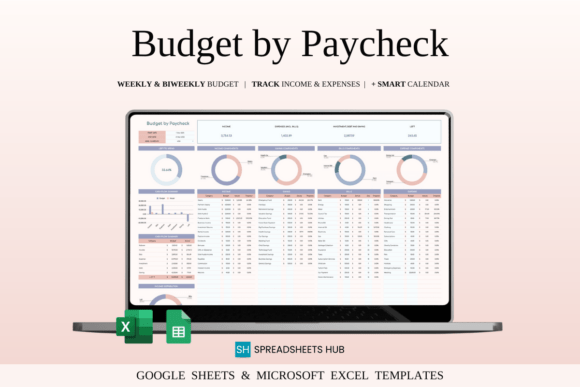
3. Budget by Paycheck Sheet | Hourly workers | Sheets · 10 hours | The sheet only works in one app |
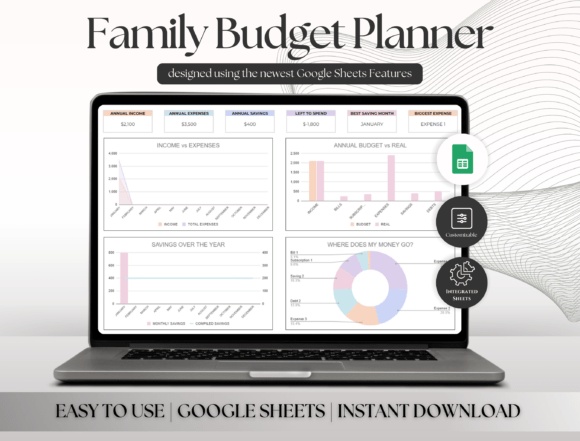 |
4. Family Budget Dashboard | Couples | Sheets · 14 hours | The dashboard is hard to find |
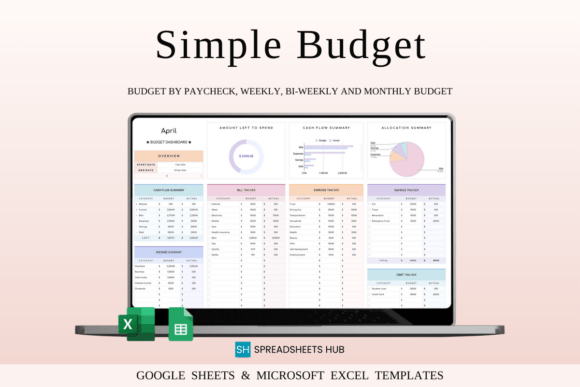 |
5. Rainbow One-Tab Budget | Students | Excel · 9 hours | There is no sample budget |
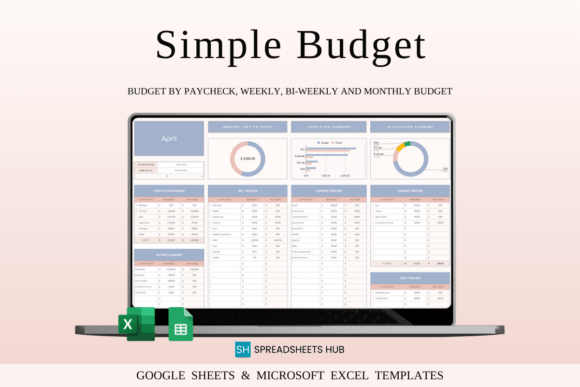 |
6. Plain One-Tab Budget | Cautious spenders | Sheets · 3 hours | Previews show empty cells |
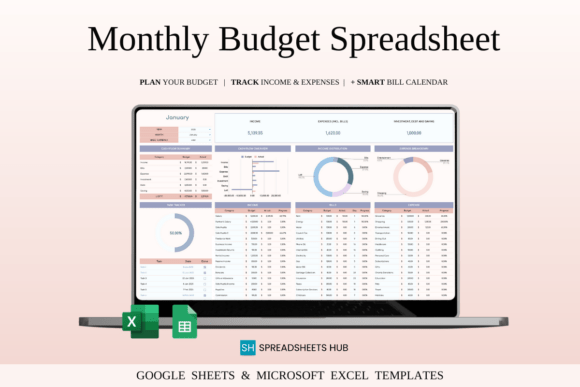 |
7. Monthly Bill Calendar Sheet | Freelancers | Sheets · 11 hours | Date formulas fail in Sheets |
 |
8. Paycheck Tracker with Currency | Remote workers | Sheets · 8 hours | Currency rates are never explained |
 |
9. Hyperlinked Budget Planner for Tablets | Tablet planners | Tablet · 40 hours | The link map is a mess |
 |
10. Five-Sheet Finance Toolkit | Savers | Sheets · 6 hours | One photo hides the contents |
 |
11. Dark Theme Budget | Young workers | Sheets · 4 hours | Gray text is hard to read |
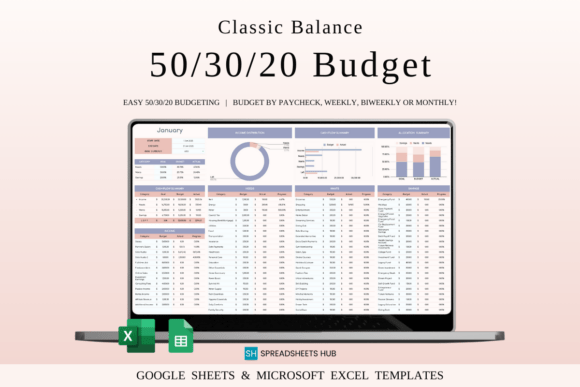 |
12. 50/30/20 Rule Sheet | Beginners | Sheets · 7 hours | The rule cannot be changed |
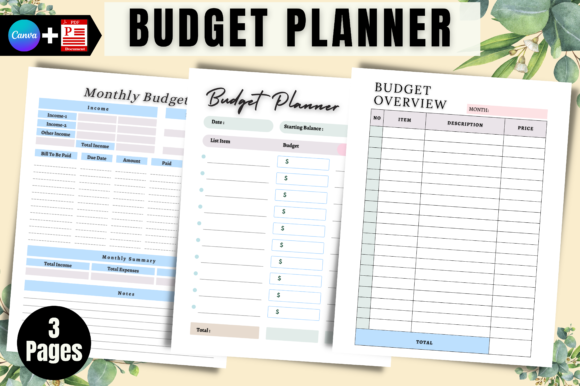 |
13. Printable Budget Pages | Paper planners | Etsy · 5 hours | Margins cut off the numbers |
1. All-in-One Canva Budget Bundle
One Canva file with every money page a household might ask for.
- Best for: buyers who want one binder for everything
- Avoid for: sellers who stuff in pages nobody opens
Inside are more than 50 editable Canva pages, among them a monthly budget, a zero budget, a bill tracker, a debt snowball tracker, a net worth tracker and an emergency fund page, delivered as a PDF link and a template file.
Families and new budgeters buy it at the start of the month or after a tax bill.
To make your own, pick 15 pages, build them on one grid and let the buyer change colors. A first bundle takes about 12 hours. Check “budget binder” in eRank before you start, and read the license of every icon and font you add.
This Canva budget bundle lists over 50 editable pages in one file.
2. Canva Finance Binder
A finance binder with debt, savings and bill pages in one Canva link.
- Best for: people paying off debt
- Avoid for: sellers who skip a start-here page
Inside are monthly budget planners from January to December, paycheck budget templates, a yearly overview, bill and subscription trackers, debt and sinking fund trackers, and a 52-week savings challenge.
Buyers want it in January, after holidays, and when a loan payment feels heavy.
To make your own, start with the 52-week savings page and the debt tracker, because those two get searched most. A first binder takes about 8 hours. Check “debt tracker printable” in eRank, and read the license of your fonts before export.
This Canva finance planner includes a savings challenge and debt and bill trackers.
3. Budget by Paycheck Sheet
A sheet that splits money per paycheck, not per month.
- Best for: workers paid every two weeks
- Avoid for: sellers who call a monthly sheet a paycheck sheet
Inside are tabs for a guide, setup, a transaction tracker, an annual overview, a calendar and a paycheck budget, with a currency drop-down and up to 120 subcategories under six main groups.
Hourly workers and couples with two pay dates buy it, mostly before rent is due.
To make your own, build one tab that lists each paycheck and subtracts the bills due before the next one. A first version takes about 10 hours. Check “budget by paycheck” in eRank, and test the drop-down lists in Google Sheets as well as Excel.
This paycheck budget sheet has 120 subcategories and a currency setting.
4. Family Budget Dashboard
A Google Sheets file where the whole household sees one number.
- Best for: parents sharing money with a partner
- Avoid for: sellers who bury the dashboard on the last tab
Inside are 13 tabs, among them bank accounts, an annual dashboard, a sinking fund, a debt calculator, net worth, an investment forecast and money challenges, all with a currency setting.
Couples buy it after moving in together, and parents buy it before the school year.
To make your own, put a dashboard first and keep the input tabs plain. A first version takes about 14 hours. Check “family budget spreadsheet” in eRank, and write down which charts need a copy of the file to work. A short note on how to copy the file into a personal Google Drive prevents most questions.
This family budget sheet has 13 tabs with a dashboard and a debt calculator.
5. Rainbow One-Tab Budget
A bright one-tab sheet that turns three steps into a habit.
- Best for: first-time budgeters
- Avoid for: sellers who add a second tab nobody wants
Inside is one tab where you enter transactions and the sheet works out the rest, with a budget remaining graph, a cash flow overview, checkboxes for bills, debt and savings, a goal tracker and a video tutorial.
Students and young workers buy it when the first bank balance goes red.
To make your own, keep everything on one tab and pick one bold color theme. A first sheet takes about 9 hours. Check “colorful budget template” in eRank, and read the license of any chart style you copy.
This rainbow budget sheet shows one tab, a goal tracker and a video guide.
6. Plain One-Tab Budget
The plain version of the same one-tab idea, with no color theme.
- Best for: buyers who dislike bright colors
- Avoid for: sellers who copy a rival layout
Inside is a one-tab template for Excel and Google Sheets that handles monthly, weekly or bi-weekly budgets, with automatic calculations after you enter each transaction.
Beginners and cautious spenders buy it at the start of a month.
To make your own, offer the same sheet in a neutral look beside a bright one, so a buyer picks the style. A second theme takes about 3 hours once the first works. Check “simple budget template” in eRank, and keep a sample budget in the preview.
This plain budget sheet works monthly, weekly or bi-weekly.
7. Monthly Bill Calendar Sheet
A monthly sheet that also marks bills and debt payments as done.
- Best for: freelancers with uneven income
- Avoid for: sellers who forget currency settings
Inside are up to 50 custom categories for income, savings, debt, bills and expenses, a bill and debt calendar that marks payments as completed, a live overview and multi-currency support.
Freelancers and families buy it before the first of the month.
To make your own, add a due-date column and a formula that ticks it off when a payment is logged. A first sheet takes about 11 hours. Check “monthly budget spreadsheet” in eRank, and test the date formulas in both apps. Add a short video or screenshot guide, since buyers of sheets ask for help first.
This monthly budget sheet tracks bills and debt due dates.
8. Paycheck Tracker with Currency
A paycheck sheet for buyers who record spending in more than one currency.
- Best for: expats and online workers
- Avoid for: sellers who leave out a guide tab
Inside is a spreadsheet for Excel and Google Sheets where you enter paycheck details, track income, expenses and bills, and record transactions in any currency.
Expats and remote workers buy it when a new contract starts.
To make your own, add a currency drop-down and a base currency cell that the whole sheet reads. A first version takes about 8 hours. Check “paycheck budget template” in eRank, and write a one-page guide with screenshots. Mention the supported apps in the first line of the listing so buyers do not ask.
This multi-currency paycheck sheet supports any currency.
9. Hyperlinked Budget Planner for Tablets
A tablet planner where every month opens in two taps.
- Best for: tablet users who like stickers
- Avoid for: sellers who add pages without links
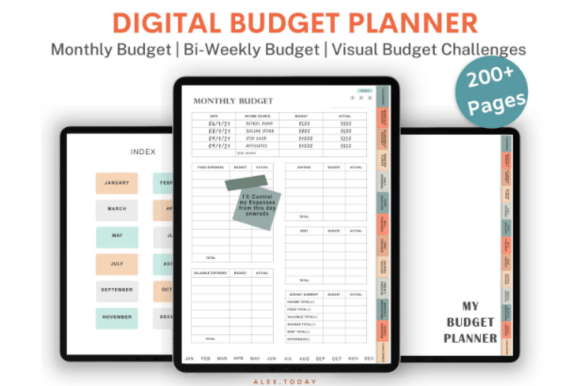
Inside is a planner with more than 10,000 hyperlinks and 11 templates per month, among them a monthly and a bi-weekly budget page, sinking funds, a cash envelope page, a bill tracker, a debt tracker and 12 savings challenges, plus 200 digital stickers.
Planner fans buy it in the last week of December, and again before summer trips.
To make your own, plan the link map on paper first, then build one month and copy it twelve times. A first planner takes about 40 hours. Check “digital budget planner” in eRank, and read the sticker license.
This hyperlinked budget planner has 200 digital stickers.
10. Five-Sheet Finance Toolkit
Five linked sheets sold as one calm toolkit.
- Best for: buyers who want growth, not only a budget
- Avoid for: sellers who list five sheets with one photo
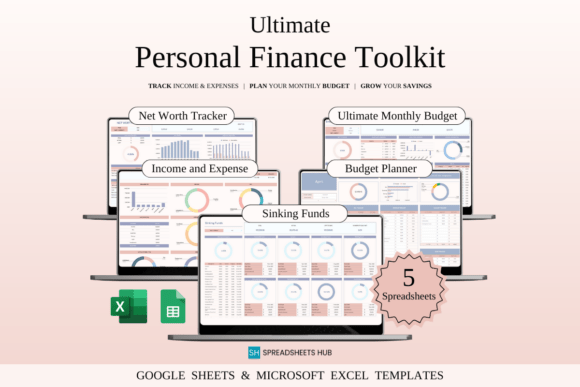
Inside are five spreadsheets for Excel and Google Sheets: a monthly budget, a net worth tracker, a sinking funds tracker, a monthly finance tracker and a savings sheet.
Couples and savers buy it when they set a money goal for the year.
To make your own, bundle sheets you already sell and add one shared cover page. A toolkit takes about 6 hours once the sheets exist. Check “finance toolkit” in eRank, and show each sheet in its own photo. A bundle price feels fair when each sheet is visible, so give every file a clear name.
This finance toolkit groups five spreadsheets.
11. Dark Theme Budget
A dark-mode sheet for people who open money files at night.
- Best for: night-time budgeters
- Avoid for: sellers who forget a contrast check
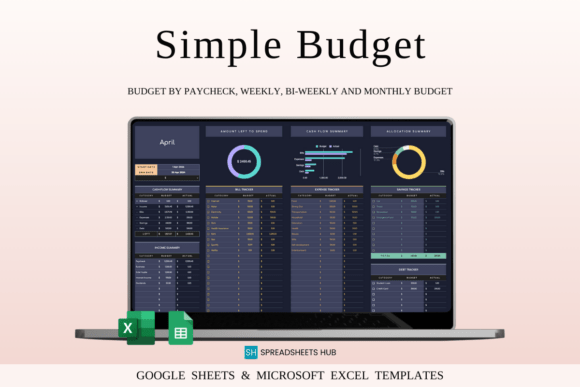
Inside is a one-tab dark theme budget planner for Excel and Google Sheets with a three-step setup and automatic calculations after each entered transaction.
Young workers and gamers buy it after a payday.
To make your own, pick a dark background and test that every number stays readable. A dark copy of a finished sheet takes about 4 hours. Check “dark budget template” in eRank, and show the sheet on a dark phone screen in the preview. Offer the light version in the same listing so one purchase fits every buyer.
This dark theme budget sheet keeps the three-step setup.
12. 50/30/20 Rule Sheet
A sheet built around one rule that fits in a sentence.
- Best for: buyers who want a simple rule
- Avoid for: sellers who do not explain the rule
Inside is a spreadsheet for Excel and Google Sheets that splits income into needs, wants and savings with a 50, 30 and 20 percent rule, and it comes with a video tutorial.
Beginners buy it after a financial video or a class.
To make your own, state the rule in the first line, then let the sheet show the three shares as bars. A first sheet takes about 7 hours. Check “50 30 20 budget” in eRank, and let the buyer change the shares. A short example with a sample income helps a new buyer trust the numbers.
This 50/30/20 budget sheet shows the three shares of income.
13. Printable Budget Pages
Three printable pages for people who budget on paper.
- Best for: paper planner fans
- Avoid for: sellers who offer only one paper size
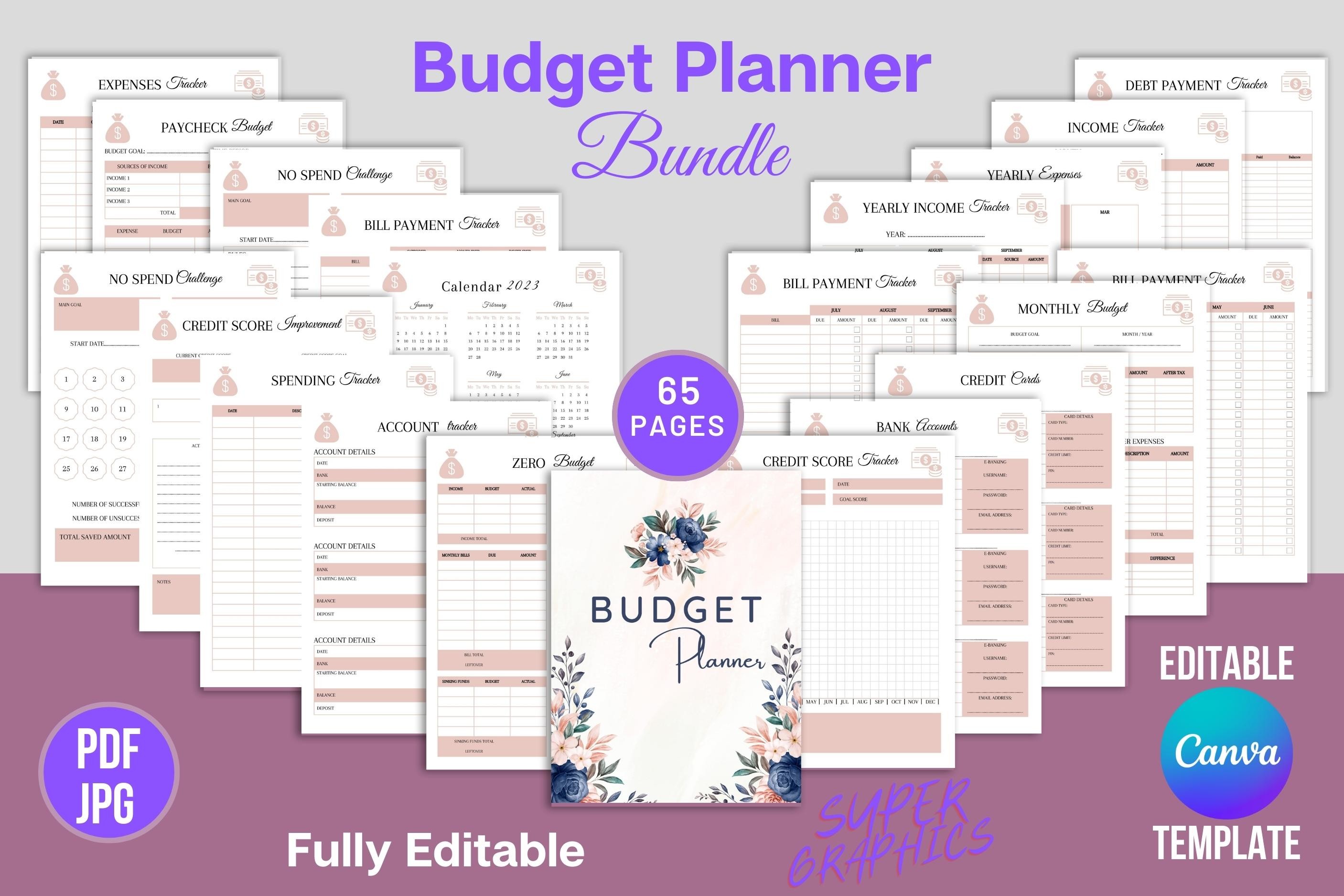
Inside are a monthly budget page, a budget planner page and a budget overview page in A4, A5, US Letter and Half Letter PDF, with a Canva source file.
Paper planner fans and ring-binder users buy it before a new month.
To make your own, design one page, resize it for each paper size and check the margins. A first set takes about 5 hours. Check “printable budget pages” in eRank, and keep the commercial license of the fonts on file. Add a sample photo of the pages in a binder, since paper buyers like to see the real result.
This printable budget set comes in four paper sizes.
If it goes wrong
- No views: change the first image and the first words of the title. Most listings with four views have a weak thumbnail.
- Views but no sales: show the sheet on a laptop screen with sample numbers, and name the app (Excel, Google Sheets or Canva) in the first line.
- Formulas break: lock the formula cells and test the file in both Excel and Google Sheets before you upload.
- A license complaint: remove the file, replace the font or icon, and upload again. Keep a note of where each asset came from.
- A copy of your file: sell a view-only link or a protected sheet and keep the master file private.
Key takeaways
- Name the pay schedule and the app before you open a blank sheet.
- Keep one clear layout across the whole shop.
- Search the template name on Etsy and read reviews to judge demand.
- Check the commercial license of every font and icon before you list.
- Offer a bundle of a monthly sheet and a bill tracker so a second purchase feels natural.
- Fix a weak thumbnail first when views are low.
When free budget planners aren’t enough
The usual limit is the license. A free budget sheet often bans resale, and that is the one thing a shop needs. Check demand first in eRank, then take a file with a commercial license, such as this printable budget page set, and read its terms before you list. For more ideas, see how to create digital products and digital downloads to sell on Etsy.
Common questions
What budget planner templates sell best on Etsy?
Paycheck budgets, monthly sheets for Excel and Google Sheets, and printable page sets sell steadily because people reset their budget every month. Start with one clear sheet and check demand in eRank before you build a bundle.
Do I need to know spreadsheet formulas?
You need basic sums and a few drop-down lists. Build the sheet once, test it with sample numbers, then lock the formula cells so a buyer cannot break them.
Can I sell a budget planner I made in Canva?
Yes, if every font, icon and image carries a commercial license. Export the pages as PDF, add a short guide page, and state the paper sizes in the listing.
How many templates should one listing hold?
A single sheet is enough to start. Bundles of a monthly budget, a bill tracker and a savings tracker raise the order value, but only after the first single sheet has sales.